Features
Study sources
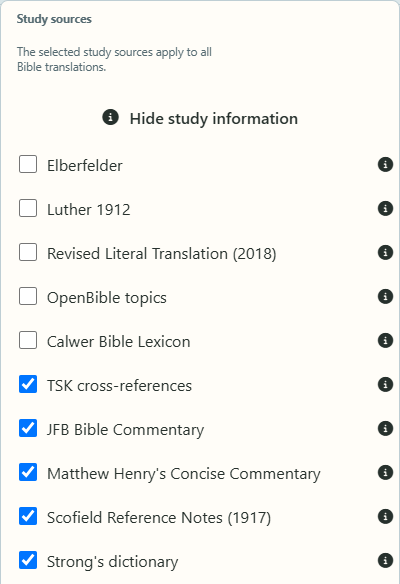
Original-language words, lexicon, cross-references and commentaries right next to the verse – you decide which sources you want to see.
Everything next to the verse
Study information appears where you read: in the Bible chapter, in your collections and in search results. A button in the reading bar shows or hides it and tells you how many sources are active. Below it you tick the sources you want to see – the choice applies immediately.
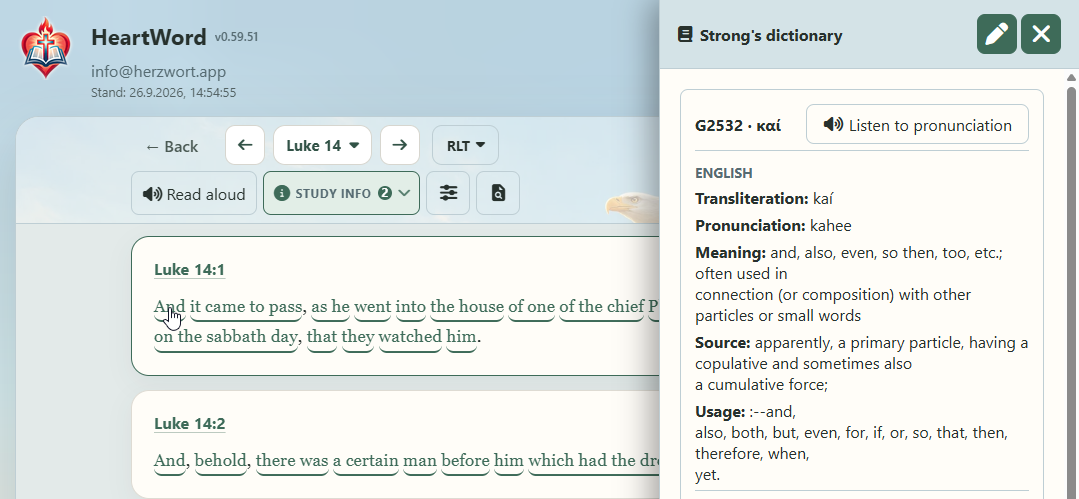
Original language with Strong’s numbers
In translations with Strong’s numbers, such as the Revised Literal Translation (RLT), words backed by a Hebrew or Greek original are underlined. One tap shows the original word with its meaning and a pronunciation to listen to. From there you find every other passage with the same original word.
Calwer Bible Lexicon
The classic German reference work on people, places, terms and objects of the Bible, shown alongside the verse – including the lexicon’s illustrations, which open at full size.
Cross-references
The Treasury of Scripture Knowledge gives you, for almost every verse, passages that take up the same theme, word or thought. You can read the referenced texts directly without leaving the chapter.
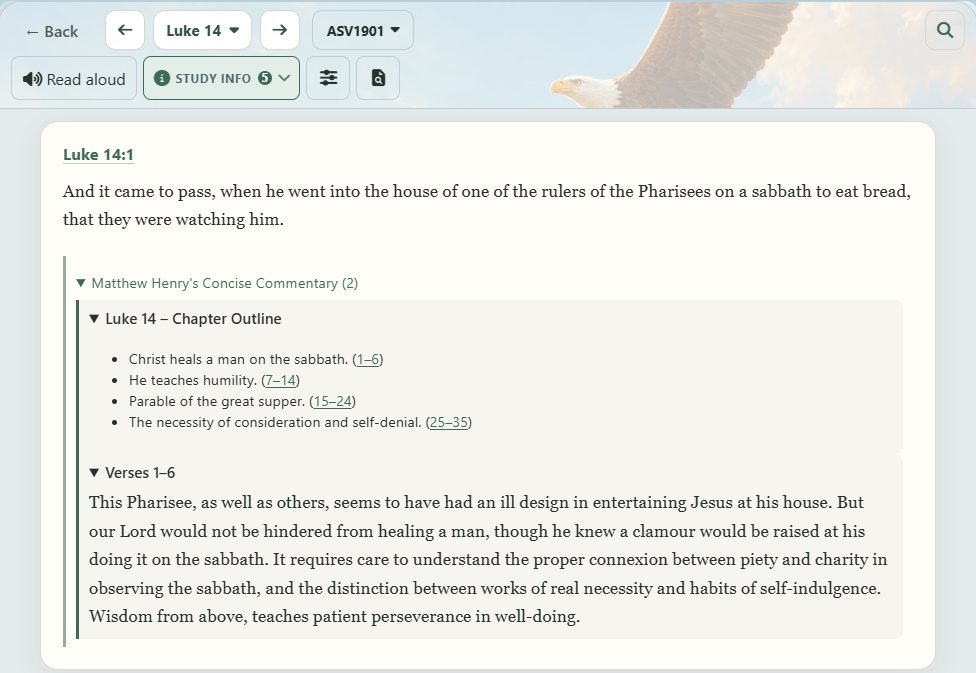
Bible commentaries
Three classic commentaries are available:
- Matthew Henry’s Concise Commentary – devotional and practical.
- Jamieson-Fausset-Brown – closer to the text, with an eye on word meaning and context.
- Scofield Reference Notes – the study notes of the Scofield Bible.
Your own notes
What you have written about a verse is a study source too: while reading, you see your earlier thoughts exactly where they came to you.