Features
Sermon notes & callouts
Sermon, Bible study or seminar: capture passages and thoughts without losing the thread – and keep working on them later.
Take notes while someone is speaking
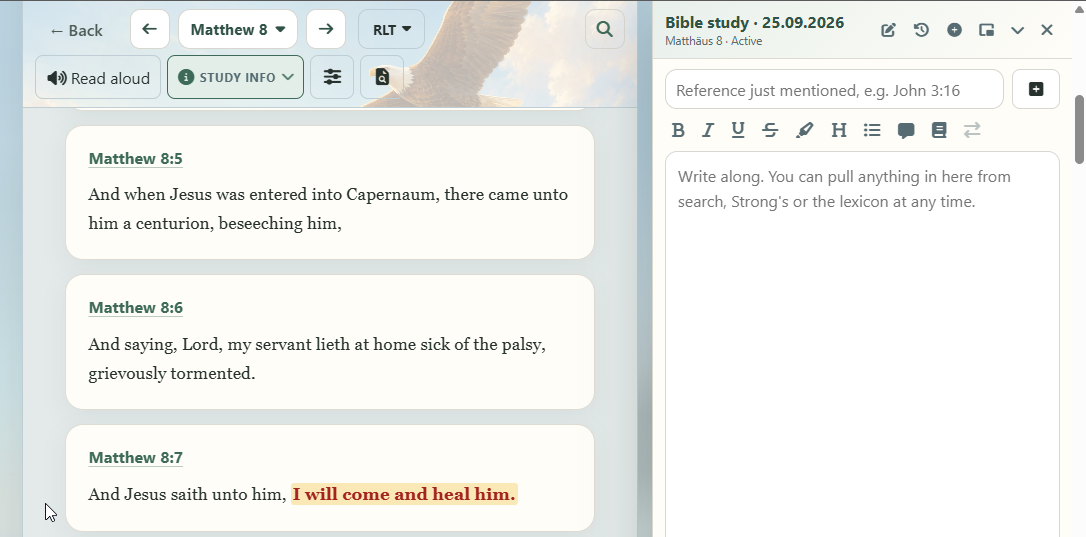
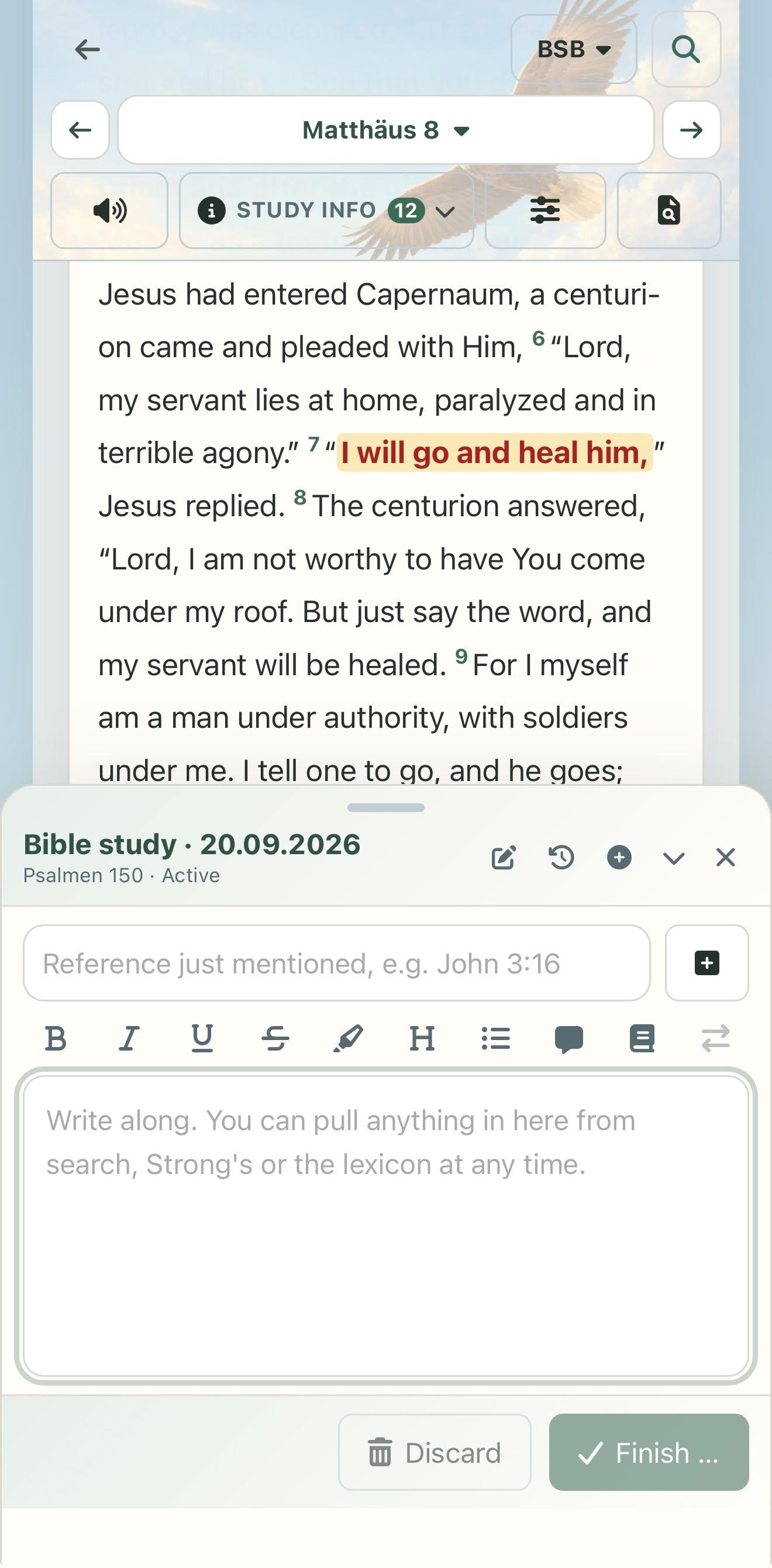
Live notes are not a separate screen but a companion: they stay open while you browse the Bible, search or open a collection. You write freely and every keystroke is saved at once – even reloading in the middle of a sermon loses nothing.
- On a computer they are a freely movable window or docked to the right of the Bible text; on a phone they sit at the bottom edge, where you can pull them up or fold them into a small pill.
- Bible references in your text are recognised, even hastily typed ones like
Rom 8 28, and open with one tap. - From any verse menu you add a passage straight to your notes – as a short reference or together with its Bible text.
- In the passage picker, Open with live notes opens the Bible text and your notes together.
- If you like, the Start page gets its own live notes button.
Finish and collect the passages
After the sermon you file your notes in a collection – an existing one or a new one that already carries the date in its name. All the Bible passages you mentioned are collected along with them, and your text stays with them as a companion text.
Resume sessions
Every set of notes is a named session with a date. When you start a new one, the previous session moves to the history – you can resume it at any time, for example when a Bible study continues next week.
Callouts that stand out
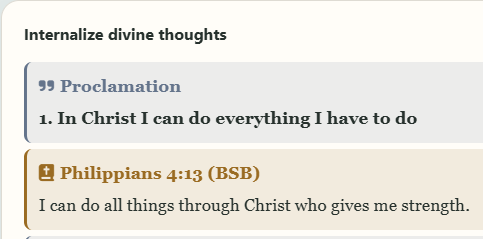
Callouts are coloured boxes in your text – for a summary, a question, a quote, a tip or a proclamation you want to speak out again and again. Insert callout lets you pick the kind; selected text becomes its content.
The Bible verse callout is especially handy: enter a reference, choose the translation, and the Bible text is inserted together with its source.
Read or listen to the callouts only
In a collection you can limit the view to certain kinds of callout – for example just your proclamations. The same choice applies to reading, export and read-aloud, so you can have exactly those texts read to you.